

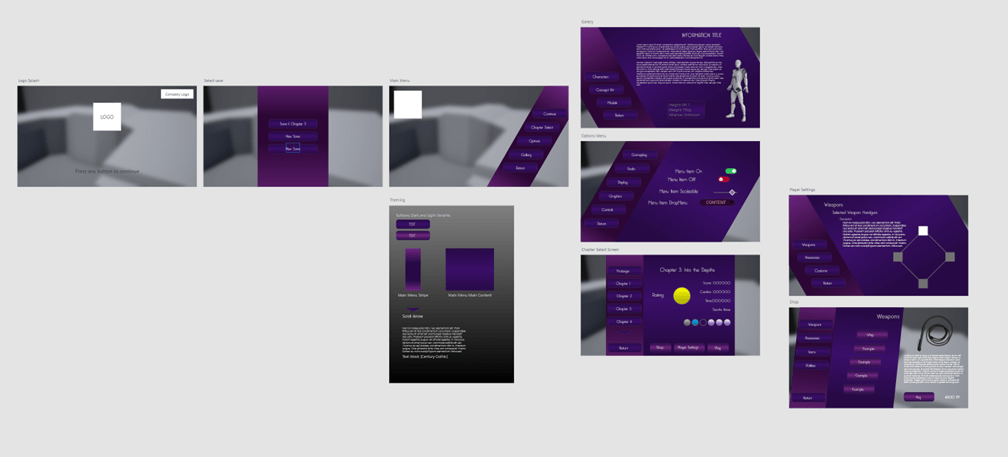
In this module we were asked to create a User Interface by research about existing User Interfaces in games and analyzing what they do good. I created a UI and HUD for a concept game called “Tama’s Revenge” which is a Hack and Slash Adventure game. Something I wanted to take away from this module was how UI animation works and how to implement it.
Research
Bayonetta 3
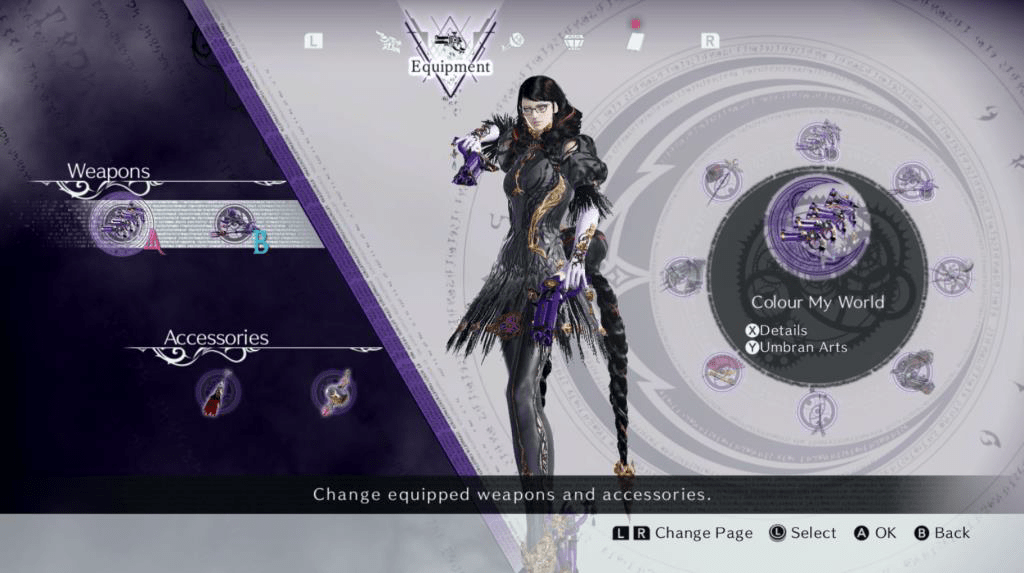
I had recently picked up Bayonetta 3 which has beautiful UI. With subtle gradients and diagonals, I knew I wanted to take inspiration from it. If I were to show one menu from Bayonetta 3 that inspired me the most it would be the Player Settings Screen. The clear separation of the sub selection and the main content shows what you should be looking at, at any point. The use of the colour scheme throughout B3’s UI as well. Only using 2/3 inspired me a lot. Colours consistently pulls different menus together making the game’s menus feel like they should connect. What I took from B3 was the use of angles and parallel lines, as well as the use of a few compatible colours. I like how if a specific menu is angles it’s the same angle throughout the menu instead of having different elements be at different angles.
Persona 5
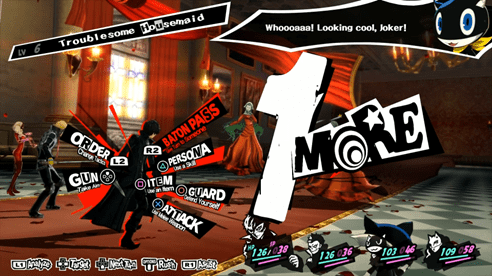
I for the most part do not like Persona 5’s User Interface. Its too busy and wild for my liking. One thing I do like is their use of angles. I find it more visually appealing for things in user interface to have angles to them instead of just beings straight lines. I think the angles can bring more attention to some elements when needed too. Another thing I love about Persona’s menus and UI are the animated transitions which are visually appealing. Which is something I would like to use in my UI prototype. What I take from Persona 5 is that I would like to use angles to give my UI/HUD a more visually interesting design without being too extreme like P5.
Life is Strange: True Colors
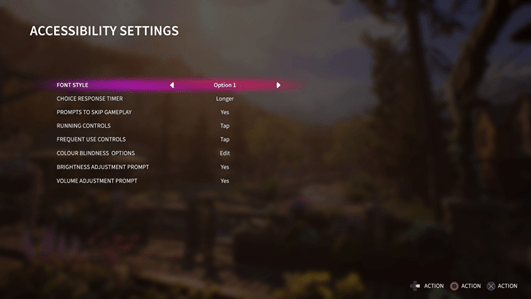
LIS:TC has a accessibility menu which I find a great addition. Allowing people to have this amount of control with the game and user interface is something that should be standard. Making the game more accessible to a wider range of people.
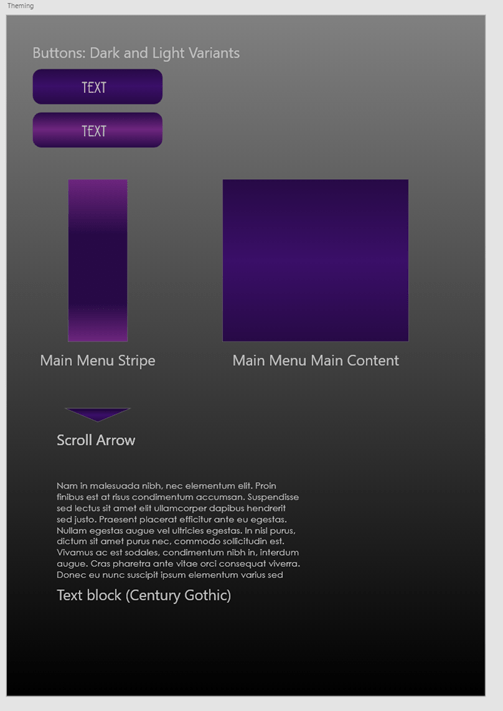
I wanted to at least try one things from this accessibility list and I decided on the Font Style. I wanted to be able to have an option to have the font change in my demo like in LIS:TC as it’s a small but powerful option that allows for more people to play the game.
Development of my Concept
Development Notes
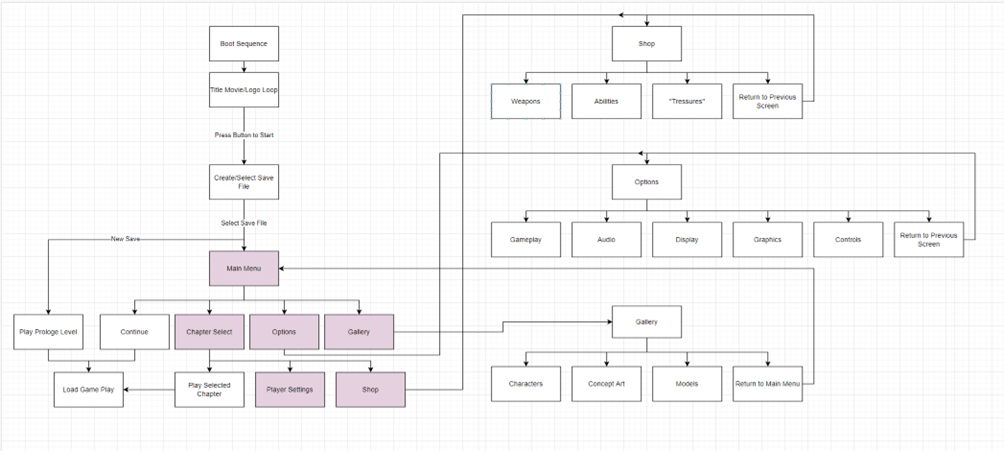
Somethings in development are worth noting at the end here. Something that took me a while to get used too was keeping track of what “state” a menu was in. This was so the wrong animation wasn’t played or information loaded incorrectly.
Something I didn’t expect to be as difficult was the Combo boxes and getting them to remember what was selected the last time you were on the submenu. However with some blueprinting and simple logic I got them working and running how I intended them too. One thing I don’t like is that you, at least to my knowledge, set the font style of the combo box via Blueprint so the dyslexia feature does not cover the combo box in this demo.
Something that was odd is I found a font that fit the theme how ever has alignment issues. So when put into Unreal it would not render correctly. However I found Poiret One and it was so similar to the original used in mock-ups I couldn’t tell the difference.
What is the game?
The game “Tama’s Revenge” is simply a Hack and Slash Adventure game. The goal is to hit as many enemies. as you can. Without the need to worry about combos like other Hack/Slash games.
I am aiming this is teens/adults as the theme is killing a lot of enemies.
The Target platform is PC so I wanted the controls to be simple enough to me WASD and mouse. You have two attacks assigned to Mouse Left and Right. I would intend for this game to be more casual and something to just have fun with.
Outcomes from this project
I went into this not really touching having touched the UMG editor before apart from when needed. However now I am quite familiar of its quirks and am comfortable using it to create UI and doing that effectively. I learnt that passing information like references between UI can be hard or easy depending on which way you approach it.
Overall I like the experience of creating User Interface and thinking about things like if they are accessible and if they are usable within a type of gameplay genre.
Demo Video
Disclaimer
This Post was made from the content of the Hand In files from Interface Design.
KyoKan GS and Tama’s World are property of David Barnes. Created in 2018 as a personal project.
Character Images and Group Logo are used in this Project. Under the name “KyoKan GameStudio” however this is just a name for David Barnes.
 David Barnes